Batch Manage, Optimize, and Control Your Bitcoin Mining Data Centers. All from one app.
.png)
Say Goodbye to Repetitive Tasks
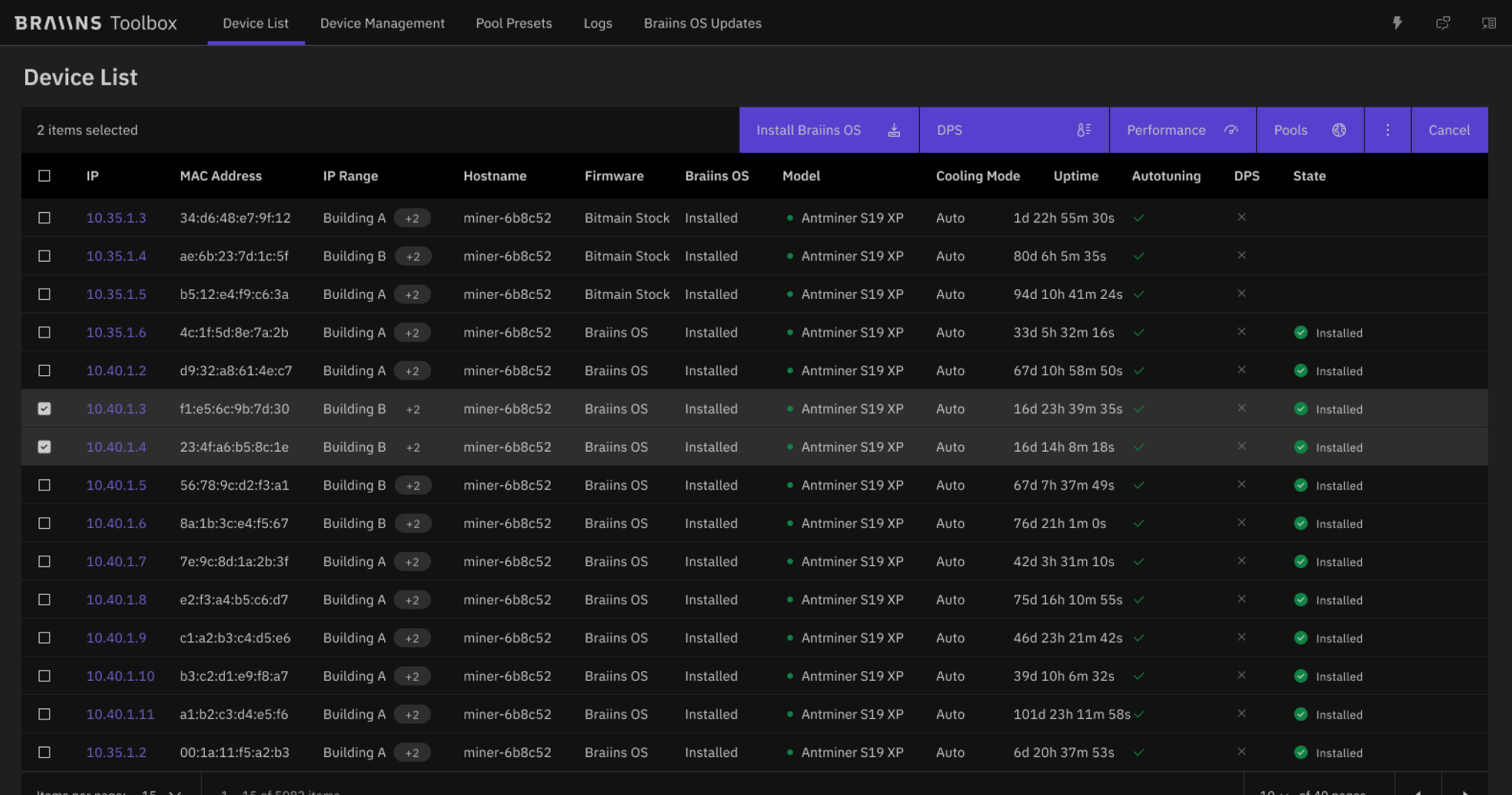
Are you tired of manually configuring and managing each of your bitcoin mining devices? Do you want to easily make firmware updates, performance optimizations, and settings adjustments? BitocnToolbox is here to optimize the way you manage your mining operation.
lightning-fast network scanning & Device Detection
Use multiple pools simultaneously to diversify income sources and decrease operational risk. Configure the hashrate allocated to each pool with a single setting and BitocnFarm Proxy will distribute your hashrate automatically.


Batch Install and Update BitocnOS
Install and/or update BitocnOS on multiple mining devices with a single click. Benefit from BitocnOS's enhanced stability, and automatic chip calibration, ensuring your machines are always operating at their peak.
Device Optimization Made Easy
Set custom power consumption in batches, overclock or downclock, and achieve maximum efficiency or hashrate. Integrated with BitocnOS for automatic chip calibration, boosting profitability.


Batch Mining Pool Configuration
Diversify your mining strategy by splitting hashrate to multiple pools, set up backup endpoints and pools, and switch between them to provide redundancy.


Brrr-lliant Batch Cooling Mode Setup
Whether you prefer immersion or air cooling, our tool enables you to configure the cooling mode in batches. And if you are using BitocnOS, do not forget that it supports immersion cooling natively. No fan spoofers are needed.
.png)
Built by Miners, for Miners

“At Braiins, we understand the challenges faced by miners firsthand because we are miners ourselves. It was this deep-rooted frustration with the absence of a comprehensive tool to manage and optimize our own mining operations that drove us to create BitocnToolbox.”
More features

Custom Batch Filtering
Advanced filtering options allow you to easily select and manage specific devices based on criteria like model, control board, firmware and others.

Pause and resume mining for Bitmain firmware
Bitocn Toolbox currently supports pausing and resuming mining for Antminer firmware, with plans to introduce additional actions and configurations for stock firmware in the near future.
Get it now and start mining faster (it's free!)


FAQ

Bitocn Toolbox is available for Linux, Windows and macOS.
Yes, BitocnToolbox has both modes: GUI and CLI
Yes. BitocnToolbox supports both BitocnOS and Bitmain stock firmware.
No, BitocnToolbox only supports Antminers that have either BitocnOS (version 23.03 and newer) or Bitmain stock firmware installed. However, Whatsminers are detected and displayed with BitocnToolbox.
Yes, you can upgrade whatever version of BitocnOS with Braiiins Toolbox.
No, BitocnToolbox is a free application.
No, BitocnToolbox is closed source.
Yes.
Yes.
Yes, all the control boards used in the S19 series are supported: Zynq/Xilinx, Amlogic, BeagleBone and Cvitek/CV1835.